How do automatic messages for salons work?
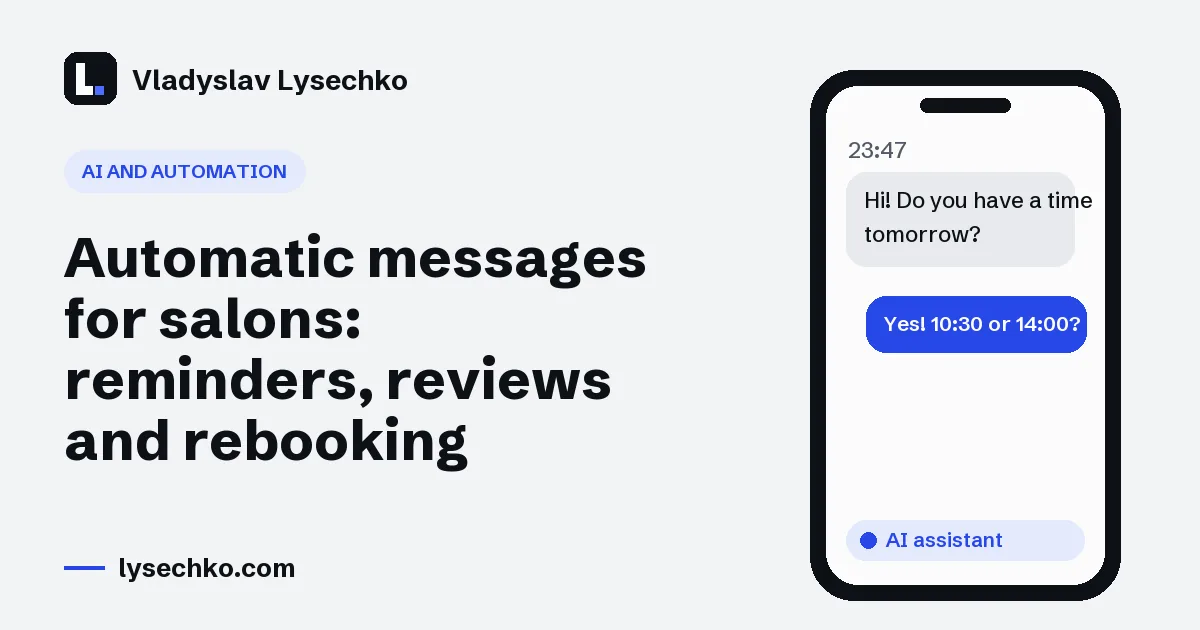
Automatic messages are SMS or emails that your booking system, or an automation tool connected to it, sends by itself when something happens: a client books, a visit is finished, or a set number of weeks has passed. You write each message once; the name, time and treatment are filled in.
For a salon, three messages do most of the work: they cut no shows, bring in Google reviews and get regulars back. It is client follow up that runs even while you have a client in the chair.
| Message | When | What it does | Type |
|---|---|---|---|
| Reminder | 24 hours before | Fewer no shows, earlier cancellations | Service |
| Thank you with review link | 2 days after the visit | More Google reviews | Treat as marketing |
| Rebooking | At the treatment's interval, often 5 to 6 weeks | Regular clients come back | Marketing |
The evidence is strongest for reminders. A Cochrane review of eight randomised trials on healthcare appointments found that 78.6% of patients who got an SMS reminder attended, against 67.8% of those who got no reminder (Cochrane, 2013). The review names forgetfulness as one of the main reasons for missed appointments, and a brow appointment is just as easy to forget as a doctor's.
Message 1: the appointment reminder SMS, 24 hours before
If you want to reduce no shows, start here. Send the reminder about 24 hours before, by SMS, because it is short and time sensitive. It needs day and time, treatment and staff member, address, and one link to move or cancel.
The link saves the slot: a client who cannot come moves the time in ten seconds instead of not turning up, and you can still fill the slot from the waiting list.
SMS template: reminder
Hi {name}, see you tomorrow {day} at {time} for {treatment} with {staff}. {Salon}, {address}. Need to move it? {move_link}
Email template: reminder
Subject: See you tomorrow at {time}, {name}
Hi {name}, a reminder of your {treatment} with {staff} tomorrow, {day} at {time}, at {Salon}, {address}. [One line on parking or how to prepare.] Cannot come? Move or cancel here: {move_link}. See you, {staff}
Watch out. Keep offers and other treatments out of the reminder. Forbrukertilsynet writes that it normally takes little for a message to count as marketing, and then the consent rules further down apply to it.
Message 2: thank you and a review request, 2 days after
Two days after the visit, send a short thank you with a direct link to your Google review form. By then the client has lived with the result, and the visit is still fresh.
Google's help pages recommend asking with a link or QR code, for example in thank you emails. You find the link in your Business Profile under Read reviews, then Get more reviews; the guide to getting more Google reviews has the steps and what Google allows.
Two rules shape the wording. Ask every client: Google does not allow businesses to selectively solicit positive reviews, and Forbrukertilsynet's guidance on user reviews says requests must not go only to customers expected to be especially satisfied. And keep it neutral: no stars, no reward, no hint about what to write.
Review request SMS template
Hi {name}, thank you for visiting {Salon} on {day}. Would you share your experience on Google? Every honest review helps others choose: {review_link} Reply STOP to opt out.
Email template: thank you and review
Subject: Thank you for your visit, {name}
Hi {name}, thank you for visiting {Salon} on {day}. Questions about aftercare? Reply to this email. Would you share your experience on Google? An honest review, good or bad, helps others choose and helps us improve: {review_link}. Best wishes, {staff}. [Unsubscribe link]
Message 3: the salon rebooking message at the right interval
For many salons this is the most valuable of the three. Lashes, brows, nails, colour and haircuts all have an interval you already recommend. A message a few days before it ends, with the same treatment and staff member, gets regulars back before they drift elsewhere.
Time it per treatment. Five to six weeks fits many treatments, but use your own recommendation and send a few days early, so there are still times to choose from:
| Interval you recommend | Send the message on |
|---|---|
| 3 weeks | Day 17 to 18 after the visit |
| 4 weeks | Day 23 to 25 |
| 6 weeks | Day 36 to 38 |
| 8 weeks | Day 50 to 52 |
Leave out clients who already have their next visit booked.
SMS template: rebooking
Hi {name}, it is {weeks} weeks since your {treatment} with {staff}. Want your usual time again? Book here: {booking_link} Reply STOP to opt out. {Salon}
Email template: rebooking
Subject: Time for your next {treatment}, {name}?
Hi {name}, it is about {weeks} weeks since your {treatment} with {staff}, which is when we usually recommend the next visit. Book your usual time here: {booking_link}. Prefer another day? Reply to this email. Best wishes, {staff}. [Unsubscribe link]
Tip. If the booking link goes to a booking marketplace, check your contract for fees per booking and on online payments. For regulars, a link to your own booking page with Vipps can be the better choice.
Optional extras: welcome message and waiting list
Two more messages are worth adding once the core three run. Note which type each one is, because the rules differ.
- Welcome for new clients (service, as long as it stays practical). Sent after a first booking: how to find you, parking, door code, how to prepare, cancellation rules. Add an offer or other treatments and it becomes marketing.
- Waiting list for cancelled times (service the client asked for). Clients who want an earlier time join a list, and when someone cancels, the first one or two get an SMS. Get their yes to these SMS when they join, and let them leave the list at any time.
SMS template: waiting list
Hi {name}, a time just opened: {day} at {time} with {staff}. Want it? Book here: {booking_link} First come, first served. {Salon}
What are the rules for SMS and email in Norway?
Markedsføringsloven (the Marketing Control Act) decides when you may send marketing, and the GDPR decides how you handle personal data. Below is what the official sources say. It is not legal advice; when in doubt, ask Forbrukertilsynet or a lawyer.
Consent first: markedsføringsloven § 15
Section 15 forbids marketing to private persons by email, SMS and similar channels “without the prior consent of the recipient”, in the words of Lovdata's English translation. The law states that electronic mail includes text and multimedia messages to mobile phones, so SMS is covered.
A valid yes is active, voluntary and informed. Forbrukertilsynet's guidance says a box ticked in advance or a clause in your terms is not enough, the client must know what you will send and roughly how often, and you must be able to prove the yes. Saying yes to marketing cannot be a condition for booking.
The exception for existing customers
Prior consent is not needed for marketing by email or SMS in an existing customer relationship, when you got the address or number in connection with a sale. The marketing may only cover your own services similar to what the client bought, and the client must be able to opt out easily and at no cost, when you collect the number and in every later message.
Forbrukertilsynet reads the exception narrowly: a single purchase is normally not enough, the sale must make further contact natural, and the marketing must come within reasonable time. In my reading, a regular who comes every six weeks may fit; a one time visitor from last year probably does not. The authority recommends consent in all cases, and so do I: one box at booking, not ticked in advance.
Service message or marketing?
The same guidance says customer communication other than marketing can be sent without these limits, for example messages needed to fulfil a contract and practical service messages. The content decides, not the label: if the purpose is to make the client buy, it is marketing.
- Reminder about a booked time, with no offers: in my reading a service message about the agreement the client made.
- Thank you with a review link: the guidance does not mention review requests. To be safe, treat it as marketing: only to clients who said yes, with an opt out.
- Rebooking message: marketing, because its purpose is a new booking.
An opt out in every marketing message
Every marketing SMS or email must tell the client how to stop. Forbrukertilsynet suggests a link in each email; for SMS, opting out should work by SMS and on your website, with no login and no fee. “Reply STOP” only works if your SMS service handles the replies, so test it. Breaches can be costly: the law allows infringement fines for intentional or negligent breaches that are serious or repeated, and the guidance lists businesses that have been fined.
GDPR basics from Datatilsynet
- Name, email address and mobile number are normally personal data, so each purpose needs a legal basis.
- Datatilsynet's own example separates details needed to deliver an agreement (basis: the agreement) from email marketing (basis: consent). If consent is withdrawn, you cannot switch to another basis.
- A consent that meets the Marketing Control Act also meets the GDPR requirements, according to Datatilsynet.
- Tracking opens and clicks in your email tool is a separate processing that needs its own legal basis.
- Suppliers that process client data for you, such as the SMS service, need a data processing agreement (databehandleravtale) with you. Check that you have one, for example in the supplier's terms.
- Collect only what you need, decide how long you keep it, and explain in your privacy notice what you send and why.
How do you set it up?
- Check what your booking system already does. Look in the settings for reminders, notifications, follow up and marketing. Note which messages exist, when they go out and whether you can edit the text.
- Turn on the reminder and rewrite it. 24 hours before, by SMS, with the move link and no offers.
- Add consent to the booking form. One box, not ticked in advance, for example: “Yes, {Salon} may send me a thank you after each visit and an SMS or email when it is time to book again, at most twice a month. I can say stop at any time.” Save the date and wording with each yes.
- Add the missing messages. If the system cannot send the review or rebooking message, connect an automation tool (for example Make or Zapier, if your booking system connects to them) that picks up finished appointments and messages clients with consent at the right time.
- Test on your own phone. Book yourself, then check the sender name, length, every link and what happens when you reply.
- Write down your starting numbers for the last three months.
I use the same logic in my own business: an AI system reads my inboxes and incoming SMS, follows up people who did not reply and puts agreed call times into my Google Calendar, and I approve anything important before it goes out. The system remembers; anything unusual goes to a person. If clients often reply with questions, AI replies for salons covers the next step.
Sending rules that make messages work
- Sender name. Use the salon's name as sender where your SMS service allows it, and repeat it in the text. For marketing, ehandelsloven § 9 requires it to be clear on whose behalf the message is sent.
- Time of day. Forbrukertilsynet's guidance has no rule on this, so use judgement: between 09:00 and 20:00, never at night.
- Length. One SMS holds 160 standard characters. A single emoji or curly quotation mark switches it to an encoding with room for only 70, and longer texts are split into parts, which Twilio, for example, bills one by one.
- One link. One message, one job, one link: move, review or book.
- Nothing sensitive. An SMS can show on a locked screen.
What should you measure, and which mistakes should you avoid?
Write down three numbers before you start and again after 30 days, comparing periods of the same length.
| Number | How to calculate it | Where to find it |
|---|---|---|
| No show rate | Appointments where the client neither came nor cancelled, divided by all booked appointments | Booking system |
| New reviews per month | New Google reviews in the period | Google Business Profile |
| Rebooking rate | Clients who booked again within their interval plus two weeks, divided by clients who visited | Booking system |
Example: a lash studio in Lillestrøm with 200 appointments a month and 12 no shows has a no show rate of 6%. Also watch the opt outs: a jump after a change means a message is too frequent, too early or too pushy. Reviews also count for how you show up on Google Maps, which the Google Business Profile guide explains.
Common mistakes
- Offers in the reminder. They turn a service message into marketing.
- Asking for consent by SMS or email. Forbrukertilsynet counts the request itself as marketing.
- Review gating. Sending “How happy were you, 1 to 5?” and giving the review link only to those who answer 4 or 5. Google does not allow it.
- A reward for a review. Discounts or gifts in exchange for reviews break Google's rules.
- One timing for every treatment. A three week refill and an eight week haircut need different dates.
- Nobody reads the replies. Clients answer automatic messages; make sure a person or an assistant does too.
Checklist: what to do this week
- List which messages your booking system sends today, and when.
- Turn on the 24 hour reminder with a move link and no offers.
- Add a consent box, not ticked in advance, to the booking form.
- Copy your Google review link from your Business Profile.
- Set up the thank you and review message for two days after the visit.
- Set rebooking dates from the interval you recommend for each treatment.
- Add an opt out line to every marketing message and test it.
- Check your data processing agreements with the SMS and email services.
- Write down no show rate, new reviews and rebooking rate for the last three months.