Meta Conversions API setup and server side tracking
Ad blockers, browser privacy settings and consent rules hide part of your conversions from the Meta pixel. The Conversions API sends the same events from your server, so Meta learns from the leads and sales you really get.
Advertisers on Facebook and Instagram with leads, bookings or sales
You get
Conversions API, deduplication, match keys, CRM events, test report
Works with
Websites, Shopify, WordPress, CRMs, chat bots, Google Tag Manager server
Price
Fixed, agreed in writing
In short
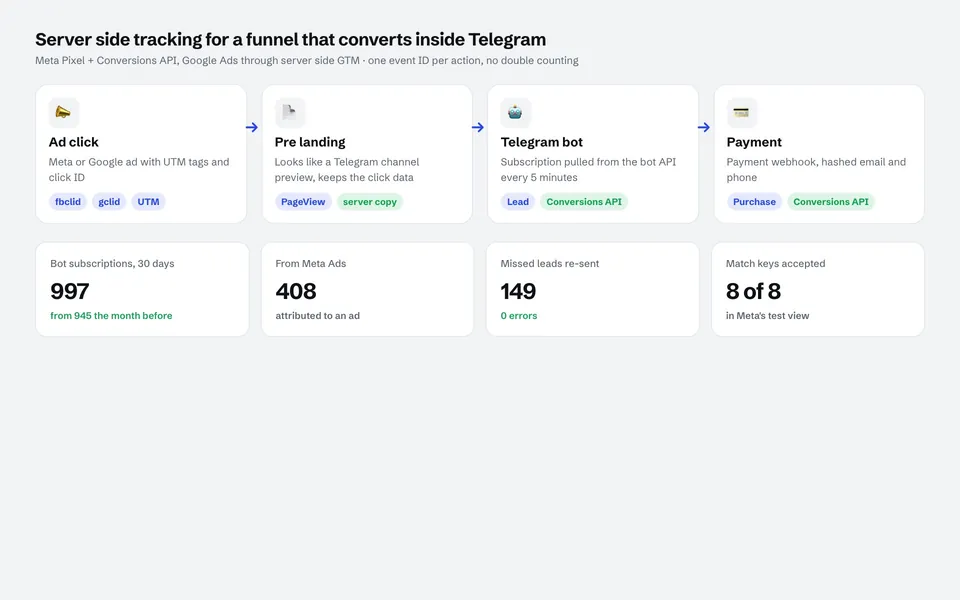
I set up the Meta Conversions API with deduplication (one event ID in browser and server), strong match keys, consent handling and events from your CRM or backend, such as qualified leads and offline sales. In one project the funnel lost its lead events after a platform switch; 149 lost leads were re-sent with zero errors, and 8 of 8 match keys were accepted in Meta's test.
149lost leads re-sent to Meta with 0 errors
8 of 8match keys accepted in Meta's test
408of 997 new subscribers tied to Meta Ads in 30 days
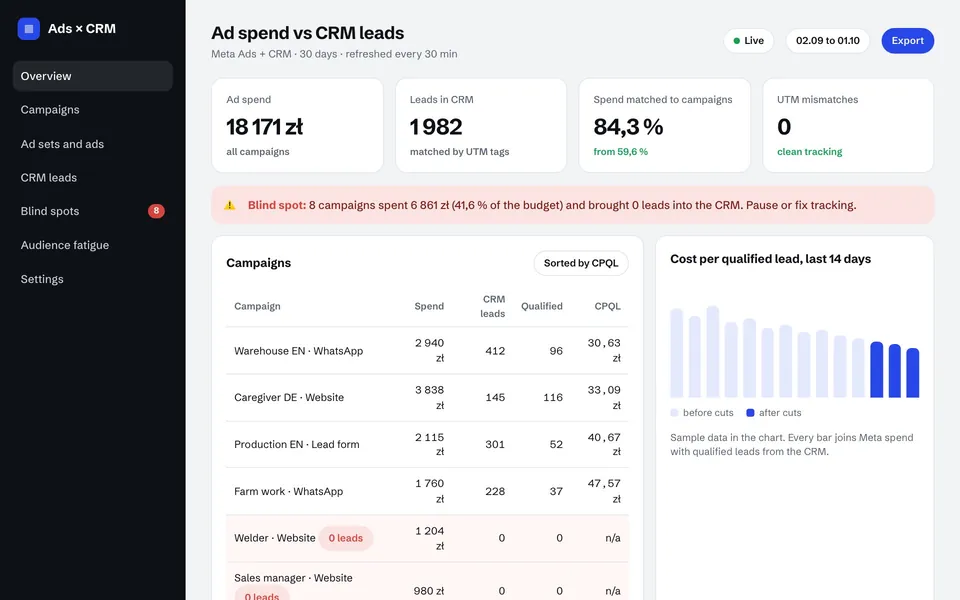
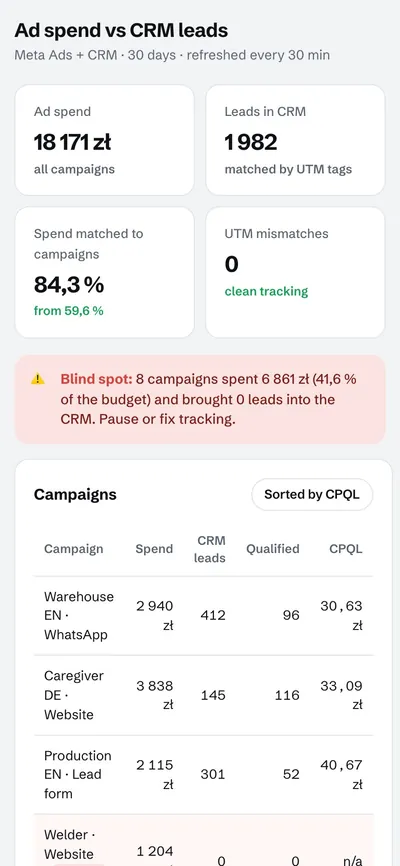
84.3%of ad spend matched to campaigns in another projectup from 59.6%
Why the pixel alone undercounts
The pixel runs in the visitor's browser. Ad blockers, privacy features in Safari and Firefox, declined consent and slow pages stop some events from reaching Meta. Meta's delivery system then optimizes on an incomplete picture, and your cost per result looks worse than it is. Server events fill the gap, and events that happen later, such as a qualified lead or a signed contract, can only be sent from the server.
What the setup includes
Event plan: Lead, Schedule, CompleteRegistration, Purchase and custom events such as QualifiedLead, with the values that matter.
Deduplication: the same event ID in the pixel and the server event, so each conversion counts once.
Match keys: hashed email, phone, name, city and external ID, plus the fbp and fbc cookies, client IP and user agent.
Consent: events only for visitors who allowed tracking where consent is required.
Server route: a direct integration from your backend or CRM, a Google Tag Manager server container on your own subdomain, or a platform integration where that is enough.
CRM and offline events: qualified leads and closed deals sent back with the original click data.
Testing: Test Events, Event Match Quality in Events Manager and a written test report.
Server side tracking for Google as well
The same data can feed Google: GA4 through the Measurement Protocol, enhanced conversions and offline conversion import with the GCLID in Google Ads. Then both platforms optimize on real outcomes instead of form fills.
Three ways to send server events
Platform integration
GTM server container
Direct API integration
Best for
Shopify and similar platforms
Websites with many tags
CRMs, bots, custom backends
Running cost
Usually none
Server hosting
Runs in your existing system
CRM and offline events
Limited
Possible with extra setup
Full control
From events to decisions
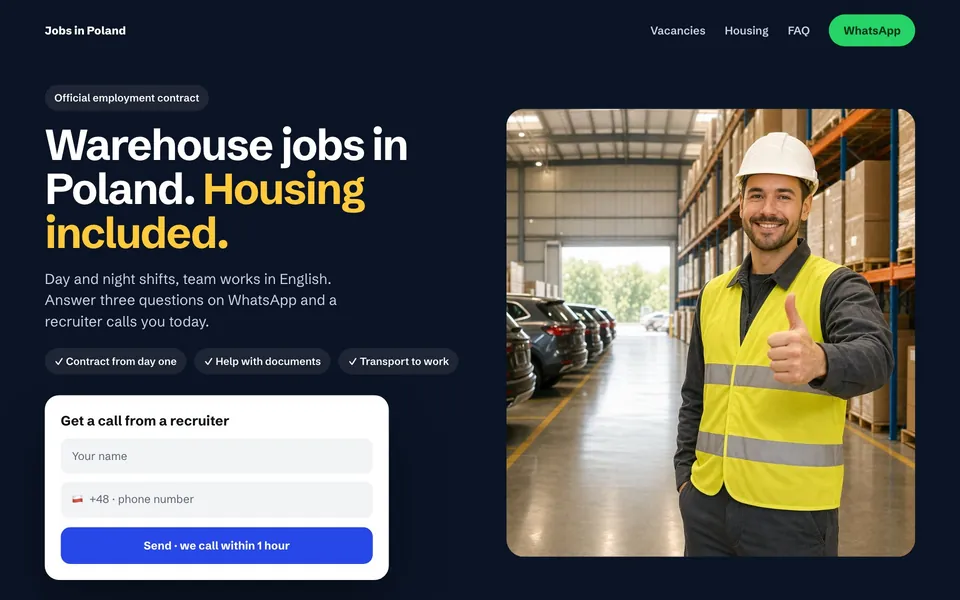
Clean events are only useful if someone acts on them. In a recruitment project the tracking fed a dashboard with cost per qualified lead for every campaign. It showed that 41.6% of the budget went to eight campaigns with no CRM leads at all, and that money moved to campaigns that worked.
How it works
Audit. Events Manager, the pixel, current match quality, consent and where conversions get lost.
Event plan. Which events, with which parameters and values, from browser and server.
Build. Server events with deduplication, match keys and CRM events.
Test. Test Events, Event Match Quality and a check that every conversion counts once.
Handover. Documentation, a test report and a short monitoring routine.
Tracking case studies
Server side events for a sales funnel in Telegram, and a recruitment agency where clean tracking showed where the budget was wasted.
The Conversions API (CAPI) lets Meta receive events such as leads and purchases directly from your server, not only from the browser pixel. Used together with the pixel and deduplicated, it gives Meta a more complete picture of your conversions.
Do I still need the Meta pixel?
Yes. Meta recommends running the pixel and the Conversions API together. The shared event ID tells Meta that a browser event and a server event are the same conversion, so it is counted once.
What is a good Event Match Quality score?
Meta rates match quality from 0 to 10 in Events Manager, and higher is better. You raise it by sending more customer information, hashed, such as email, phone and external ID, plus the fbp and fbc cookies.
Can you send offline conversions and CRM stages?
Yes. Qualified leads, booked appointments and closed deals can be sent from your CRM with the original click data, so Meta learns which ads bring customers.
Is server side tracking allowed under privacy rules?
It follows the same consent rules as the pixel. I only send events for visitors who allowed tracking where consent is required, and your privacy policy should describe it.
How long does a Conversions API setup take?
It depends on the platform and the number of events and CRM stages. The written proposal includes the plan, and the handover includes a test report from Events Manager.
I have worked with ads on Google, Meta and TikTok for more than seven years and personally managed ad budgets from $1,000 a day up to $50,000 a month. For the last two years I have built websites, automations and AI assistants with AI every day. I work remotely with clients in Norway and abroad, and every number on this page comes from a project you can open in the case studies. LinkedIn
Related services
Let's have a short call
Tell me a little about your business and you get a concrete suggestion with a fixed price.